
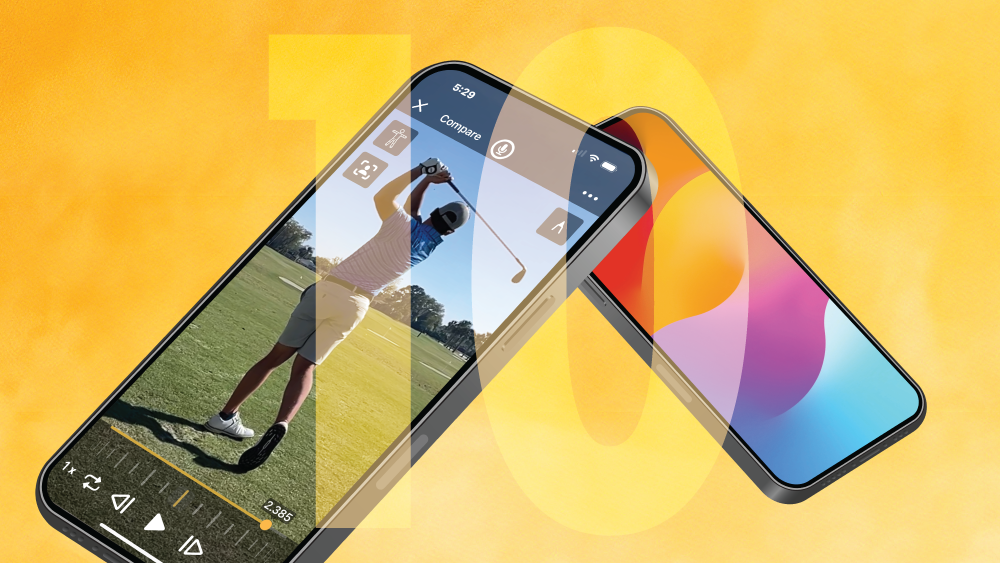
We live in a digital world, where capturing and analyzing athletic performance is easier than ever. While an iPhone camera is great for recording high-quality videos, the Onform app takes it a step further with specialized features designed to enhance coaching and athlete development. Here are ten things the Onform app can do that an iPhone camera can’t:
1. Slow-Motion and Frame-by-Frame Analysis
The iPhone camera can record slow-motion videos, but Onform goes beyond that by allowing you to analyze videos frame-by-frame using an intuitive ‘scrubber’ to easily view every bit of action. This detailed breakdown helps coaches pinpoint specific movements and techniques that need improvement.
2. Drawing Tools for Visual Feedback
Onform provides drawing tools for coaches to annotate videos in real-time. You can draw lines, circles, and angles directly on the video to highlight key areas of focus. You can also add a stopwatch tool to measure reaction times, use the ruler tool to measure stride length, and add skeleton tracking to visualize joint movement. The iPhone camera does offer some very basic markup features, but they are limited to a marker or highlighter.
3. Side-by-Side & Overlay Video Comparison
With Onform, you can compare two videos side-by-side or overlay them to see key differences. You can link the time series of both videos at the top of a swing, when the ball meets the club, or right before launching into a jump, so the movements are perfectly in sync as you review. This feature is especially helpful for tracking progress over time or comparing an athlete’s performance against a professional.
4. Voiceover and Text Feedback
Onform allows coaches to add voiceovers to videos to explain exactly what needs to be changed, at the precise moment in the video. The athlete can then listen to their coach’s feedback alongside their video, even if their coach is halfway across the world, so they better understand the context behind it.
5. Manual Shutter Speed Controls
Unlike the iPhone camera, Onform provides easy access to manual shutter speed controls, allowing you to adjust for both shutter speed and ISO (light sensitivity). This feature is essential for reducing motion blur, so normally blurry action shots come out clear. This allows for detailed analysis and reveals exactly what was happening throughout a swing, pitch, or any other high-speed action.
6. Automatic Synchronization Across Devices
All videos and feedback in Onform are automatically synced across all devices. This means you can start analyzing a video on your phone on the range and continue on your iPad when you get home without missing a beat. As long as you’re logged into the same account on each device, you can access all of your videos on all of your devices.
7. Messaging and Communication
Onform has built-in communication tools. Coaches can send private 1:1 messages, broadcast messages to a collection of athletes, or send team chat messages directly within the app. This makes it easy to share videos instantly, provide team updates, or communicate individually with an athlete without leaving the app.
8. Remote Coaching Capabilities
Onform makes remote coaching easy, allowing coaches to connect with athletes no matter where they are. Coaches can review and provide feedback on videos sent by athletes, fostering continuous improvement even from a distance. On an iPhone, this would only be possible if you took a video with your camera, used iMessage, email, or WhatsApp to share, and provided feedback as a separate note. In Onform, recording, analyzing, and sharing are all done in the same place and unlike other messaging apps, keeps all videos in native HD resolution and fps.
9. Video Library Organization
Unlike the iPhone camera roll, Onform has advanced video organization features built in. Coaches can create video titles, tag videos with equipment, events, athletes, or swing type, and search through their video library with ease, ensuring they can quickly find the footage they need. They don’t need to remember what date a video was captured, scrolling through hundreds or thousands of videos to find what they’re looking for.
10. Automatic Cloud Backup
One of the biggest reasons coaches make the switch to Onform is that their videos athletes were taking up all of the space on their phones. We’ve solved that problem with automatic cloud backup, so every video is automatically stored on the cloud, allowing you to keep your phone storage free for your personal use rather than filled with thousands of athlete videos.
While the iPhone camera is a powerful tool for capturing HD video, the Onform app takes it a few steps further with features specifically designed for coaching and athletic development. From detailed frame-by-frame analysis to manual shutter speed adjustments, Onform provides the tools necessary for coaches to help athletes reach their true potential.
Are you a coach currently relying on your iPhone camera to take videos of your athletes? Give Onform a try and start your free trial today. Schedule a free 1:1 demo with us to personalize your onboarding and discuss exactly how Onform can meet your needs.