
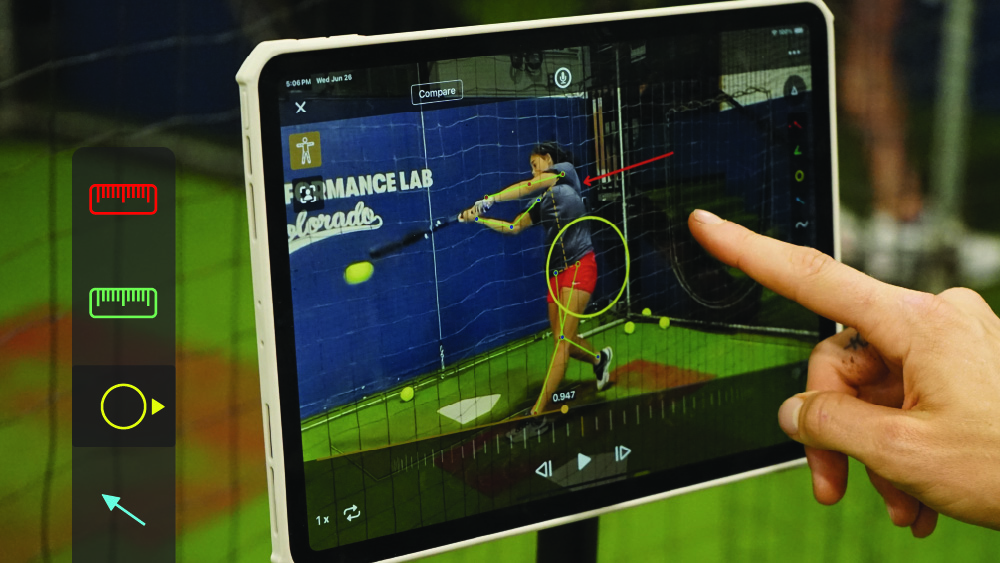
As a baseball or softball coach, you know that every small advantage can make a difference in a game. That’s why it’s important to take full advantage of the tools at your disposal, including video analysis. If you’re familiar with video analysis tools like Onform, you’re already aware of drawing tools to highlight specific movements, side-by-side comparisons to evaluate technique, and slow-motion playback to break down every frame. While these are incredibly useful features, Onform has even more advanced tools that allows you to go even deeper into player performance.
1) Stopwatch Tool: Precision Timing for Key Plays
In high-speed situations like catcher throwdowns or base running, precise timing is key. Onform’s Stopwatch tool allows you to accurately measure pop times with accuracy, or how fast a player gets from home to first.
Many coaches still use handheld stopwatches, but human error can make it difficult to capture accurate times. Onform eliminates this uncertainty by offering video-based timing, so you can analyze every split second with precision. This makes it easier to identify areas where players can shave off valuable time, giving your team an edge on the field.
2) Overlay Tool: Pitch Tunneling and Tipping Analysis
The Overlay tool allows you to layer multiple pitches over one another, making it easy to analyze pitch tunneling. You can show a pitcher’s fastball and changeup in the same frame and see how well they tunnel the pitches, just like you might see in MLB broadcasts.
In addition to pitch tunneling, the Overlay tool is extremely useful for spotting pitch tipping. Sometimes, pitchers inadvertently reveal what they’re about to throw by altering their body movements. By overlaying different pitches, you can easily spot inconsistencies that might give away a pitch and help your pitchers adjust to avoid tipping.
3) Shutter Speed: Capture Every Detail Without Blur
A common misconception is that increasing frames per second (FPS) will remove motion blur. In reality, adjusting your camera’s shutter speed is the key to capturing crystal-clear motion. Onform’s manual shutter speed controls allow you to adjust the light sensitivity and eliminate the blur to give you a detailed, frame-by-frame look at every movement.
This feature is essential when analyzing key moments of action. Whether it’s a swing, a pitch, or a quick throw, crystal-clear video ensures you can provide more precise feedback to your players. It’s a small tweak that makes a massive difference in video quality.
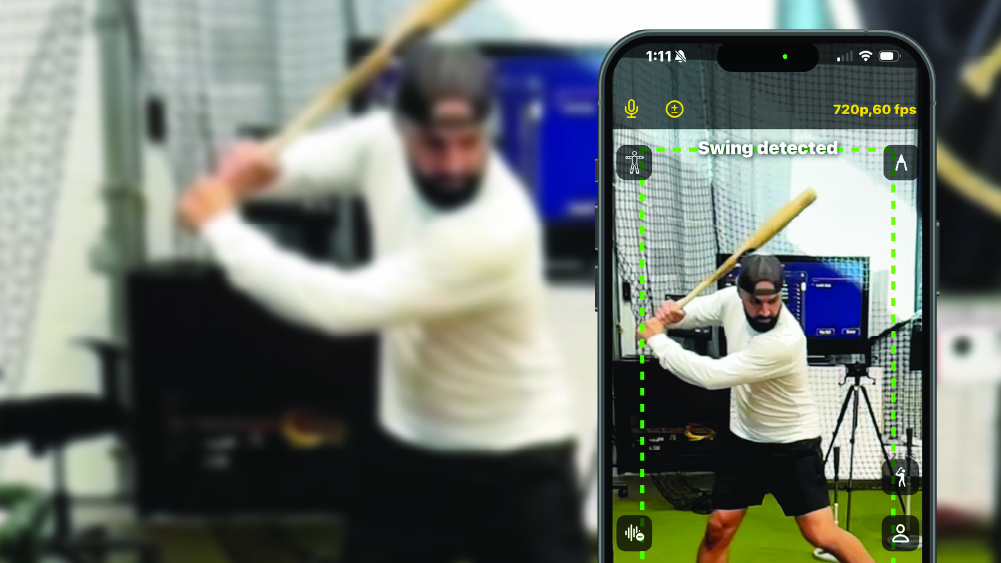
Bonus Feature: Auto-Detect
Onform’s auto-detect feature is a popular way to automatically record swings and pitches without pressing a button. Rather than trying to time recording perfectly, the app will automatically capture each swing or pitch for baseball, and every swing for softball.
These are just a few of the most popular tools we hear about from baseball and softball coaches. Some coaches may just use the basic analysis features like slow-motion playback or drawing tools like lines and circles, but to truly get the most out of the Onform app, we recommend you explore everything available to you, from advanced recording modes like auto-detect to sharing and organization features like 1:1 messaging and tagging.
Ready to try Onform for yourself? Download the app today to start your 14-day FREE trial. If you’d like to learn more about the app first, you can schedule a FREE personalized demo with a member of our team.
Pingback: How Coach Ryan Christensen Uses Onform to Improve Pitching Mechanics - Onform
Pingback: How Coach Ryan Christenson Uses Onform to Improve Pitching Mechanics - Onform